

I've been using Jupyter Notebook since 2019, when it was introduced in a cloud computing class. At the time, it required a local setup, which suited for familiarity with the terminal, so its primary use wasn't focused on data analytics. Later in 2020, during my thesis writing, I began using it extensively for data analysis.
This week, inspired by a colleague who introduced us to Asana, I realized that my current toolset might be outdated. There were already many tools available a few years ago, and there are likely even more now. My first target for optimization is Jupyter Notebook. I often open multiple notebooks for different projects or tasks, which quickly becomes messy.
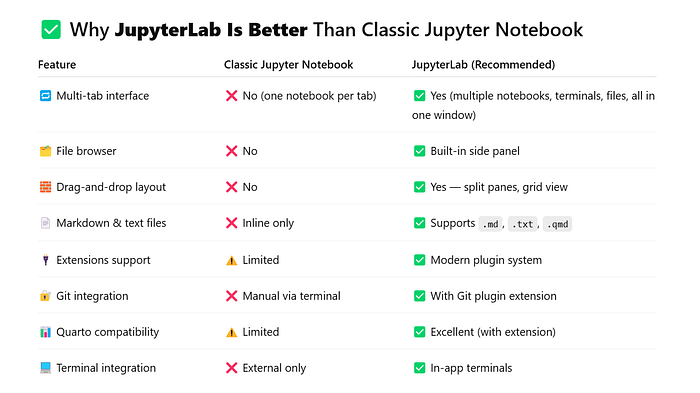
After doing some research, I discovered a range of modern alternatives. I ended up switching to a local setup using JupyterLab with a Git extension for version control and Quarto for reporting. Here's how I compared the options and arrived at this decision. I didn't pay much attention to JupyterLab at first and focused instead on the tools suggested by GPT. Ironically, it was while exploring Quarto that I was finally led to this obvious yet previously overlooked tool (This is likely what happens when I don't read much or connect with other data scientists).
- Think of the features I want
- Ask ChatGPT
- Google some popular posts
- Try different tools and compare
- Ideal local setup for me
1. Think of the features I want
The first step was identifying the features I want. Collaboration is a top priority. After my colleague introduced Asana and emphasized its collaborative capabilities, I realized how essential this is. I've been working solo for years, but now that I'm joining a team and need to communicate more effectively, collaboration tools have become crucial.
Even for solo projects, I often find myself taking screenshots of charts and pasting them into PowerPoint slides for my boss. I'm sure there are better, more efficient ways to share insights, ideally through dashboards or auto-generated reports.
Another important feature is cloud access. I want the ability to work from multiple computers or laptops without having to manually save and transfer .ipynb files through a cloud drive. A cloud-based environment would streamline this process.
Lastly, cost is a key factor, at least the top priority for now. I don't want to pay at this stage, especially since our team is still just me. While I expect the team to grow, I want to start with tools that are free or open source.
2. Ask ChatGPT
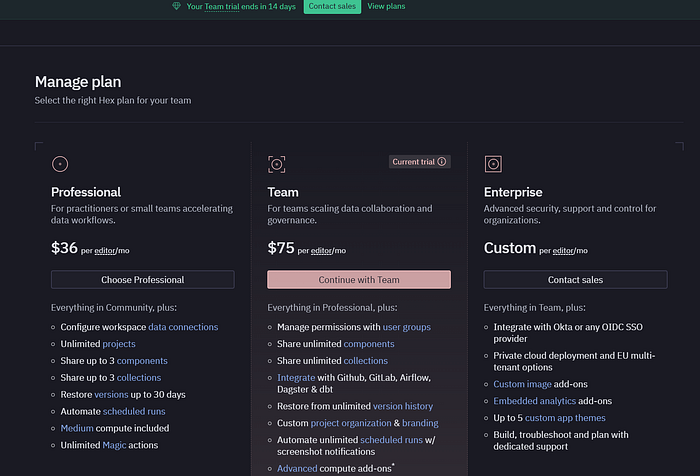
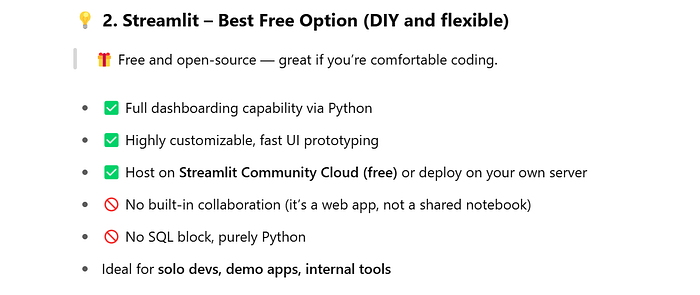
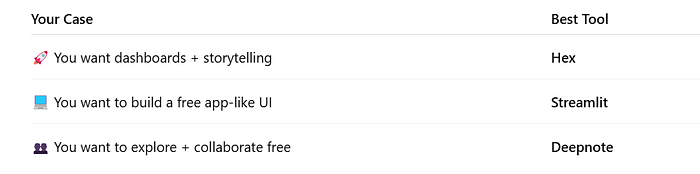
GPT listed top tools as below. I want to use Hex, but it costs at least $36/month, but I will use it recently on the 2 weeks trial curious about the dashboards. Deepnote looks like Jupyter Notebook, which is not quite attrative to me. Streamlit is a python library, it seems the demos are pretty. While Quarto is plain, it is open sourced/free.

GPT also mentioned some common tools include Google Colab, VS Code with extensions, JetBrains, and Kaggle Notebooks, etc. However, I've decided not to use them for now, as they are often part of larger platforms. At this stage, I prefer to explore standalone tools that are lightweight, focused, and not tightly coupled with broader services.
3. Google some popular posts
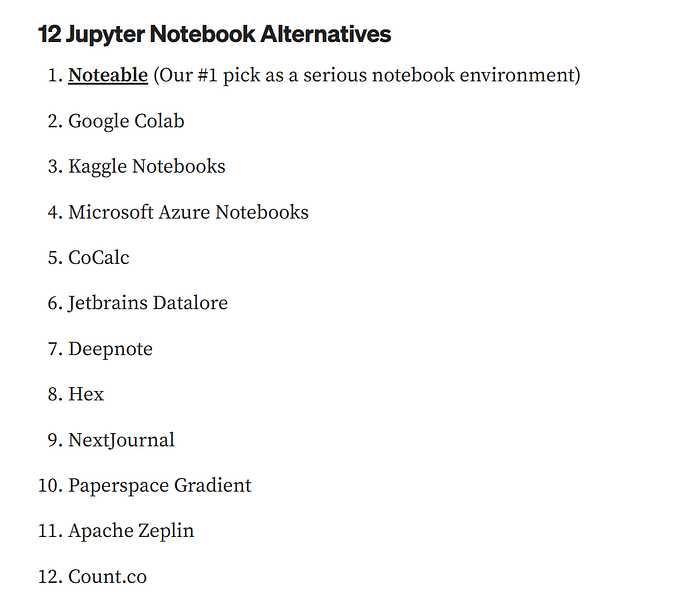
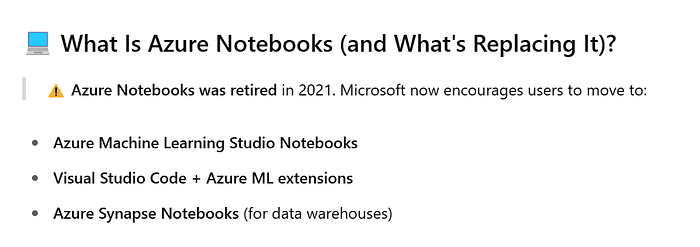
I found a post on Medium that listed Notable as the top recommendation. However, it was shut down at the end of 2023. Similarly, Azure Notebooks has been discontinued and replaced by Azure Machine Learning Notebooks. This is not what I want.
12 Best Jupyter Notebook Alternatives In 2023:

This reinforces my long-term trust in popular open-source tools.

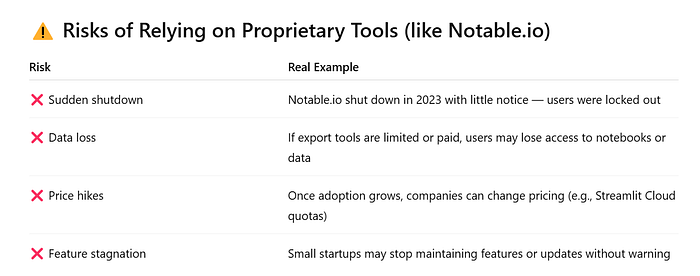
🔐 Best Practices for Tool Safety
- Always keep a local copy of your critical notebooks or scripts
- Use Git for version control — even with notebooks
- Choose tools with export-friendly formats:
.ipynb,.qmd,.md,.py - Favor tools with large communities or strong governance (e.g., Jupyter, Quarto, VS Code)

4. Try different tools and compare
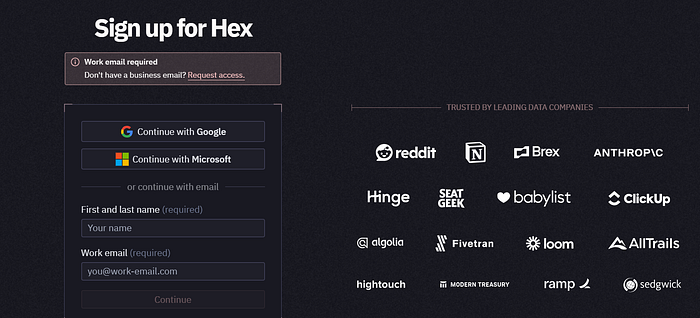
Hex requires a business email. It looks nice but expensive.
I also tried deepnote. The moment it asked for uploading dataset, I start concerning safety.
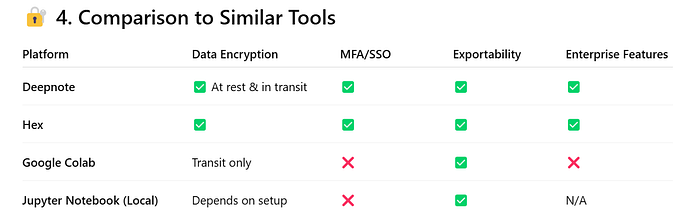
Azure seems to be the best option if I want to use Microsoft stack.

Otherwise, open-source tools are fine.
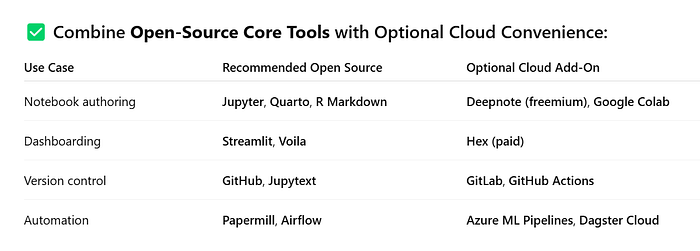

I plan to use Azure ML Studio Notebooks once we've built the system on Azure. For now, if there's no need for a dashboard or reporting functionality, Jupyter Notebook is sufficient. This naturally leads to Streamlit, which integrates well with Jupyter Notebook and can be used to build lightweight dashboards when needed, the comparison as below.
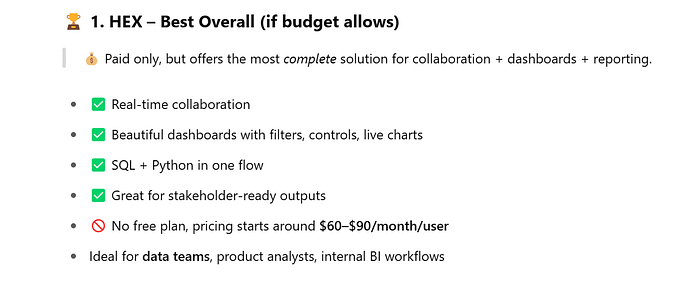

- Streamlit and Quarto are open-source, widely adopted, and low-risk
- Deepnote and Hex are great , but use them with backups and clear export workflows
- Stay flexible — don't tie all your data science to any one tool or vendor
While exploring Streamlit, I noticed that it doesn't support step-by-step data exploration like Jupyter Notebook. It only provides a web UI. This limitation led me to choose the more straightforward Quarto for now.
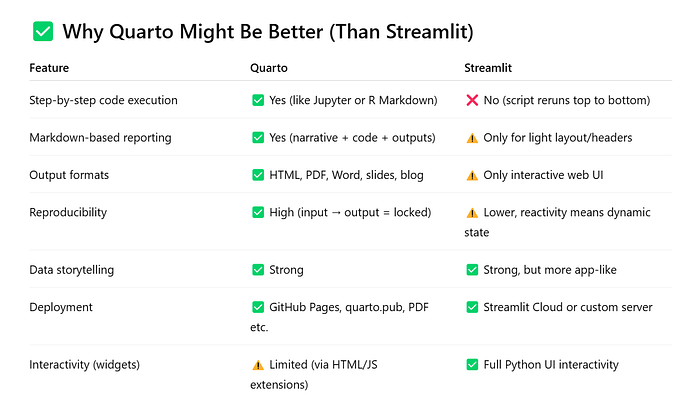
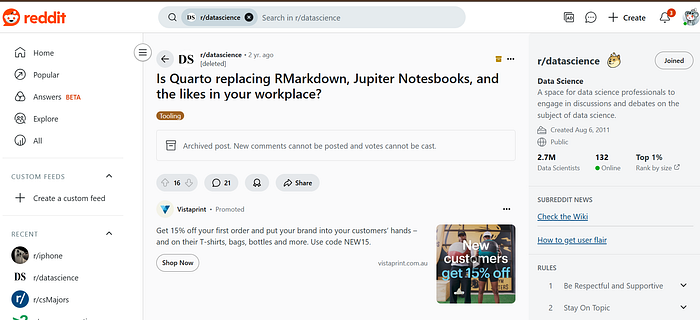
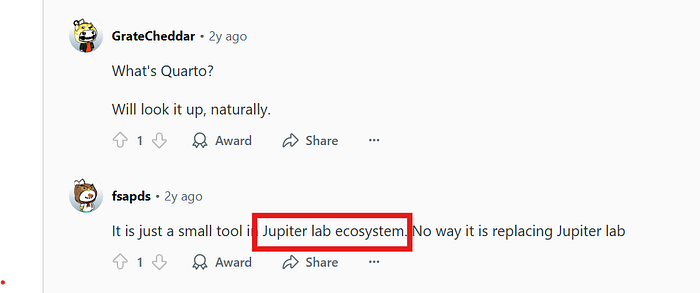
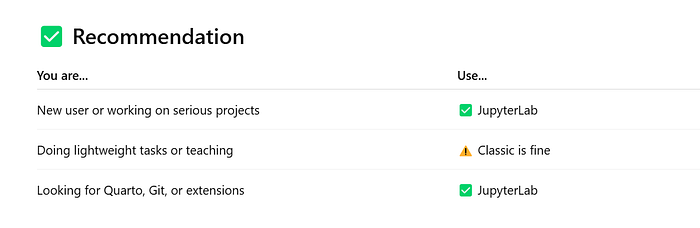
Then from Quarto I finally noticed JupyterLab!
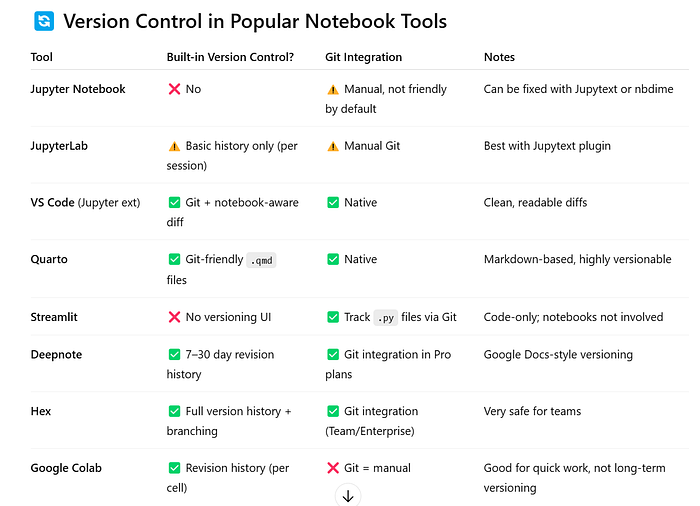
One more thing on version control.
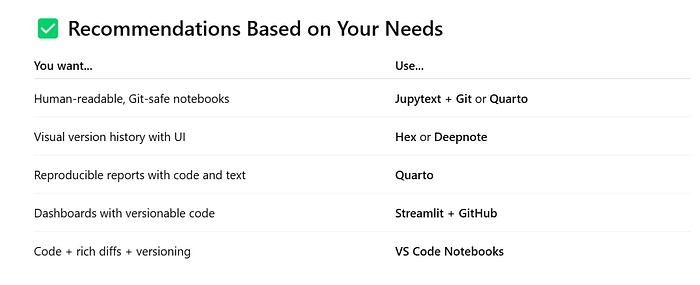
5. Ideal local setup for me
I am serious about reproducible analysis, notebooks, and reporting, so below is a ideal setup:
# 1. Install JupyterLab
pip install jupyterlab

# 2. Install Jupytext (for Git-friendly text format)
pip install jupytext

# 3. (Optional) Install Quarto if you plan to render reports
https://quarto.org/docs/get-started/

# 4. (Optional) Git Extension
jupyter labextension install @jupyterlab/git
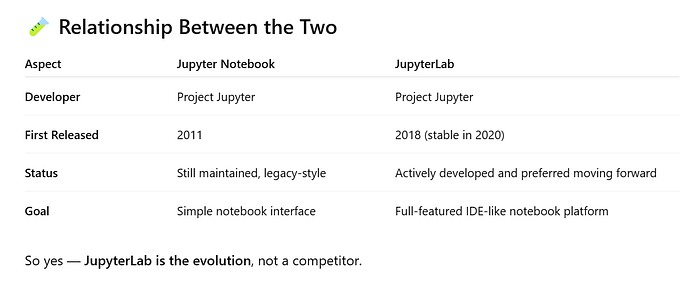
I used to open many tabs in the browser like this:
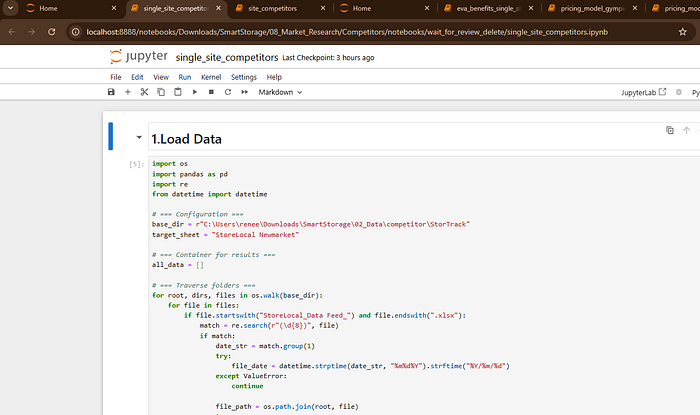
Now, it is managed and I can see the folders and table of content on the left
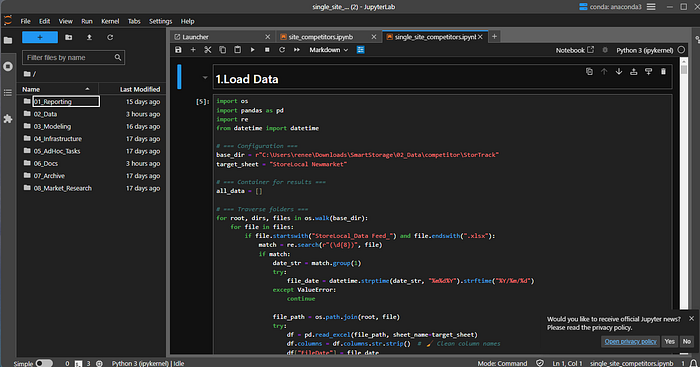
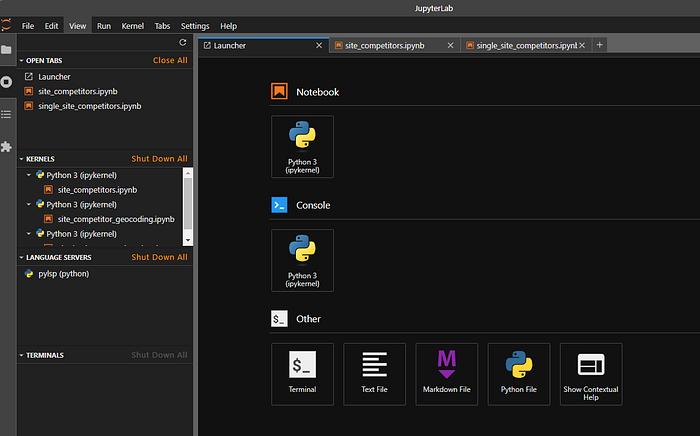
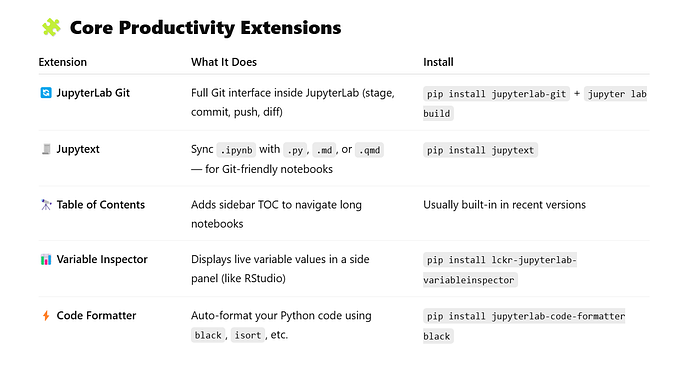
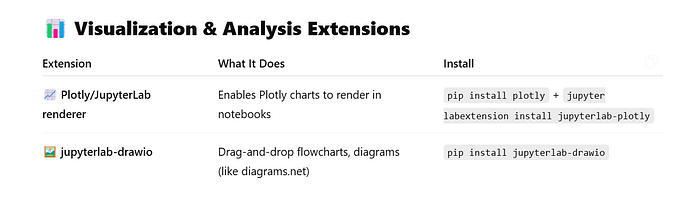
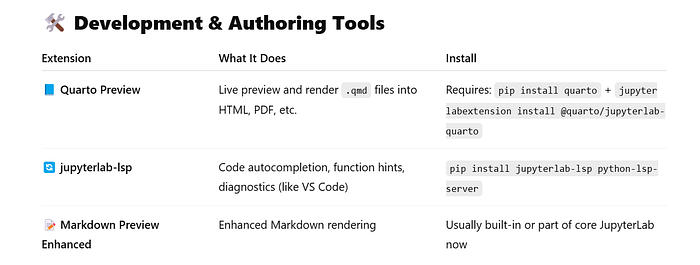
Installing Essentials All at Once, and more explainations below.
pip install jupyterlab-git jupytext jupyterlab-code-formatter black lckr-jupyterlab-variableinspector plotly quarto jupyterlab-lsp python-lsp-server
jupyter labextension install @quarto/jupyterlab-quarto